






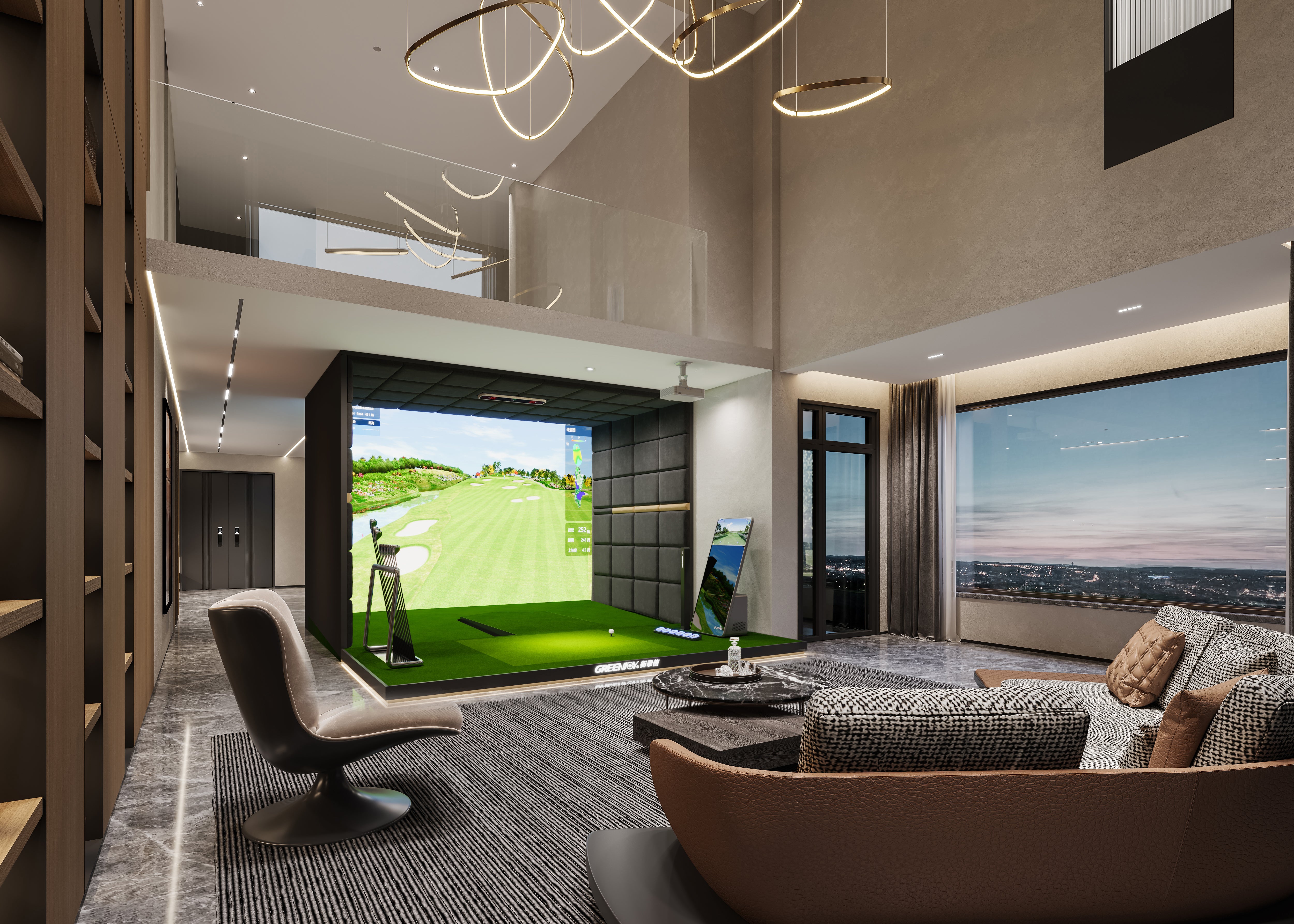
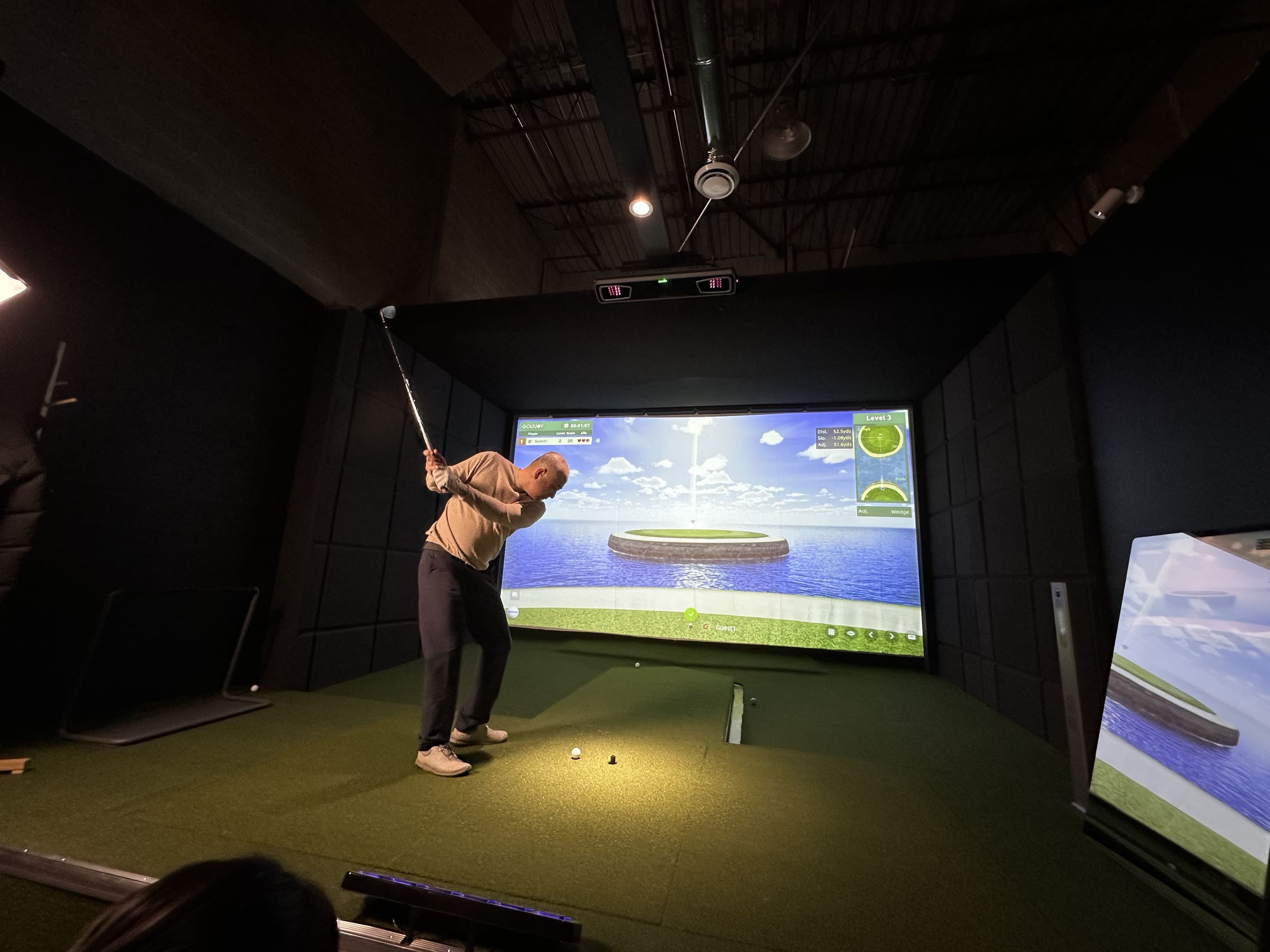
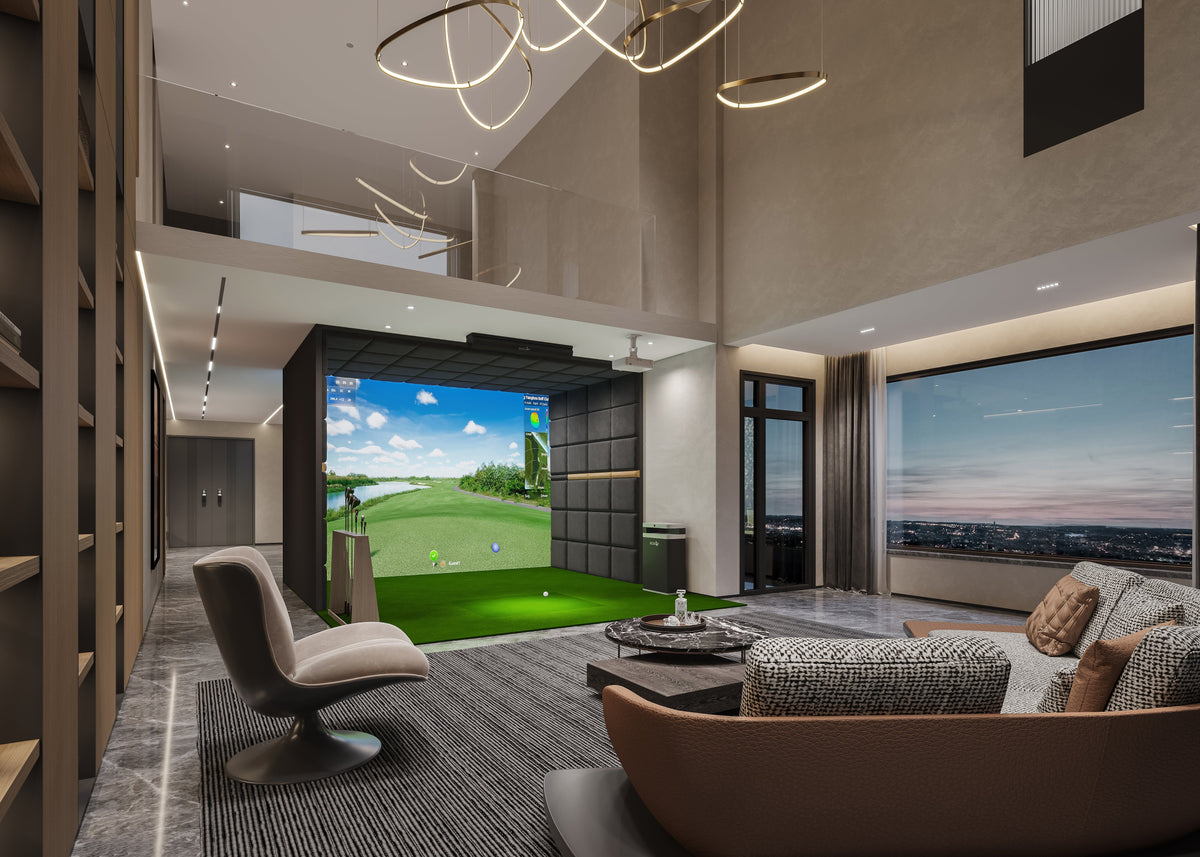
Hit a real golf ball into an impact screen, and within seconds, the same shot appears on a virtual golf course. But how does an indoor golf simulator know how fast the ball was traveling, how much it was spinning, or whether it should fly straight, fade, or draw?
An indoor golf simulator works by combining a launch monitor with simulation software and a display system. The launch monitor captures what happens during and immediately after impact, the software processes that shot data and models the resulting ball flight, and the display shows the shot in a virtual golf environment.
The entire process happens quickly, but several technologies are working together behind the scenes. Here is what happens from the moment you hit the ball to the moment it lands on the virtual course.
How Does an Indoor Golf Simulator Work?
Step 1: You Hit a Real Golf Ball
Most indoor golf simulators let you hit a real golf ball with your own clubs from a hitting mat, much like you would at a driving range.
The difference is what happens around impact. Instead of relying only on feel or visual feedback, a launch monitor observes the ball and, depending on the system, the club during the critical moments around impact.
Step 2: The Launch Monitor Captures the Shot
The launch monitor is the measurement system behind the simulator. Depending on the technology, it may use high-speed cameras, radar, or a combination of sensing methods to capture what happens when the club strikes the ball.
Camera-based launch monitors, for example, capture a rapid sequence of images around impact and initial launch. This makes them particularly well suited to indoor environments where there may be only a short distance between the ball and the impact screen.
Step 3: Ball and Club Data Are Measured
From the captured shot, the system determines key performance data. Depending on the launch monitor, this can include ball speed, launch angle, launch direction, spin, club speed, club path, attack angle, and other ball or club metrics.
These measurements form the foundation of the virtual shot. The more reliably the system captures what happened at impact, the more useful the resulting feedback becomes for practice, coaching, and simulator play.
Step 4: Simulator Software Processes the Data
Once the shot data is captured, golf simulator software processes those measurements and determines how the ball should travel through the virtual environment.
Ball speed, launch, spin, and direction all influence the resulting trajectory. The software may also account for virtual conditions such as wind, elevation, terrain, and landing surface.
This is where measured shot data becomes a complete virtual ball flight.
Step 5: Your Shot Appears on the Virtual Course
Finally, the software renders the shot on a virtual driving range or golf course. You can see the ball's trajectory, carry, landing position, and other shot results almost immediately.
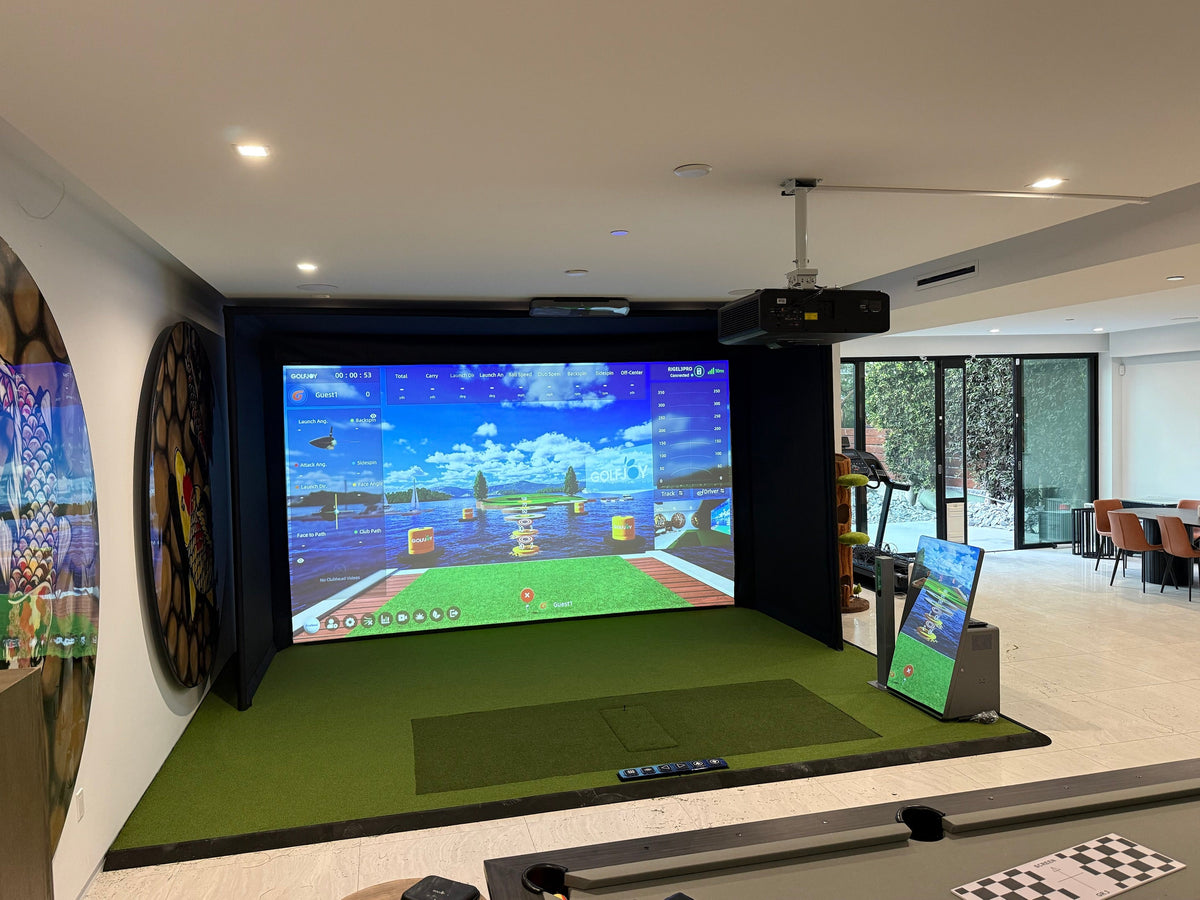
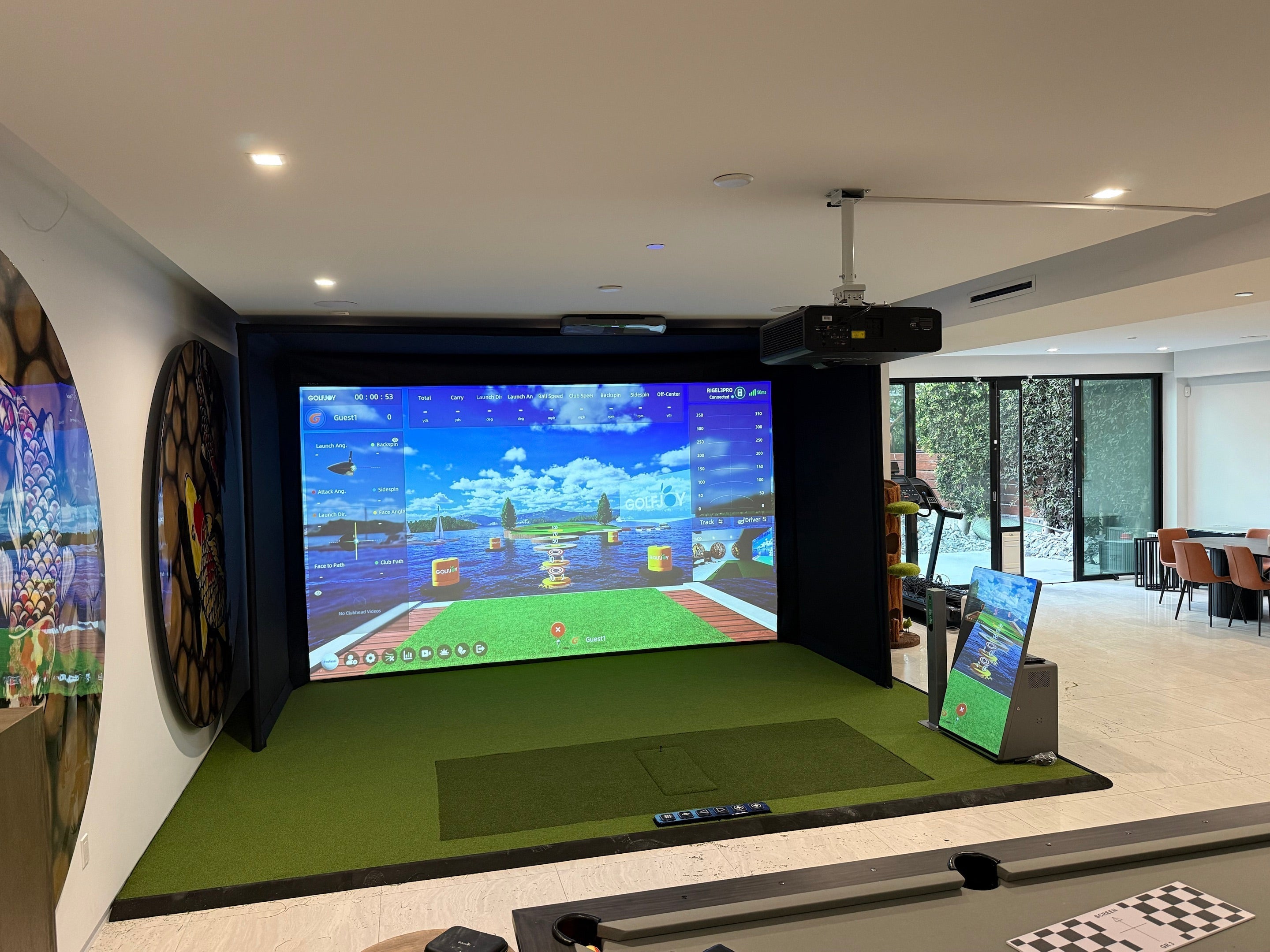
If the simulator uses a projector and impact screen, the virtual course appears directly in front of the player. Other setups can display the same software and shot data on a monitor, TV, tablet, or other compatible device.
What Does a Golf Launch Monitor Actually Measure?
The launch monitor is responsible for capturing the information that tells the simulator what happened during the shot.
Common ball metrics include:
- Ball speed
- Launch angle
- Launch direction
- Spin
- Carry distance
Depending on the system, club data may also include:
- Club speed
- Club path
- Attack angle
- Face angle
- Impact-related measurements
Not every launch monitor captures the same metrics or uses the same method to obtain them. That is why comparing simulator systems should involve more than simply counting the number of data points listed on a specification sheet.
Does a Golf Simulator Track the Ball All the Way to the Screen?
Not necessarily.
One of the biggest misconceptions about indoor golf simulators is that the system must watch the ball travel all the way from the hitting mat to the screen.
With camera-based launch monitors, the critical information can be captured within a relatively small area around impact and initial launch. High-speed cameras observe the ball over a very short period, allowing the system to determine the launch conditions needed to model the rest of the shot.
The software then uses those measurements to recreate the remaining ball flight virtually.
This is one reason camera-based tracking works well in indoor simulator environments where there is limited physical ball-flight distance.
Camera vs. Radar: How Do Golf Simulators Track Shots?
Golf simulators generally rely on camera-based, radar-based, or hybrid tracking technologies.
Camera-based systems use high-speed images to observe the ball and, depending on the device, the club around impact. Because the measurement happens within a relatively compact capture area, this approach is commonly used in indoor simulator environments.
Radar-based systems use radio waves to track movement and are especially useful when enough space is available to observe more of the ball's flight.
Hybrid systems combine multiple sensing methods.
None of these categories alone tells you whether a simulator is accurate. Performance also depends on the hardware, algorithms, installation, calibration, and environment.
How Does Golf Simulator Software Create Virtual Ball Flight?
The launch monitor measures the shot. The simulator software turns those measurements into the golf experience you see on screen.
Once launch conditions are received, the software models the ball's trajectory and determines how the shot behaves in the virtual environment. It can then display results such as carry, curvature, apex, landing position, and rollout while applying course-specific conditions.
Modern simulator software can go far beyond visualizing a single shot. Depending on the platform, golfers can practice on a virtual range, play full courses, analyze performance data, train toward specific targets, or compete with other players.
GOLFJOY Software combines shot feedback with practice, training, virtual course play, and multiplayer experiences, connecting the data captured by the launch monitor with the broader simulator experience.
What Does the Projector Do in a Golf Simulator?
The projector does not track or calculate your golf shot.
Its job is simply to display the simulator software on the impact screen, creating the immersive experience of hitting directly into a virtual golf course.
That means a projector is not required for every simulator setup. Golfers using a simpler practice configuration may view shot data and software on a monitor, TV, tablet, or compatible mobile device instead.
For a traditional full-screen simulator, however, the projector and impact screen create the visual environment while the launch monitor and software handle the actual shot measurement and simulation.
How Does Putting Work on a Golf Simulator?
Putting uses the same basic principle as a full swing, but the system is working with much lower ball speeds and shorter movement.
The launch monitor captures the ball's initial speed and direction after impact, and the software uses that information together with the virtual green's slope and conditions to model the roll.
Because putting places different demands on the tracking system than a full swing, putting performance is worth evaluating when comparing simulator setups.
GOLFJOY also offers a patented smart putting system designed to recreate a more realistic putting experience indoors. The system uses 11 actuators to reproduce true green undulations across a 4-yard span, allowing players to practice putts on changing slopes rather than a permanently flat surface.
For a deeper explanation, see our guide to how putting works on a golf simulator.
How Accurate Is the Whole Process?
A golf simulator can only recreate a shot as reliably as the information it receives.
Tracking technology is important, but accuracy also depends on calibration, launch monitor placement, lighting, software settings, and the overall hitting environment. That is why two simulator installations using similar technology can still produce different experiences if they are set up differently.
If accuracy is your main concern, read our complete guide to how accurate indoor golf simulators are and what actually affects accuracy.
What Equipment Makes an Indoor Golf Simulator Work?
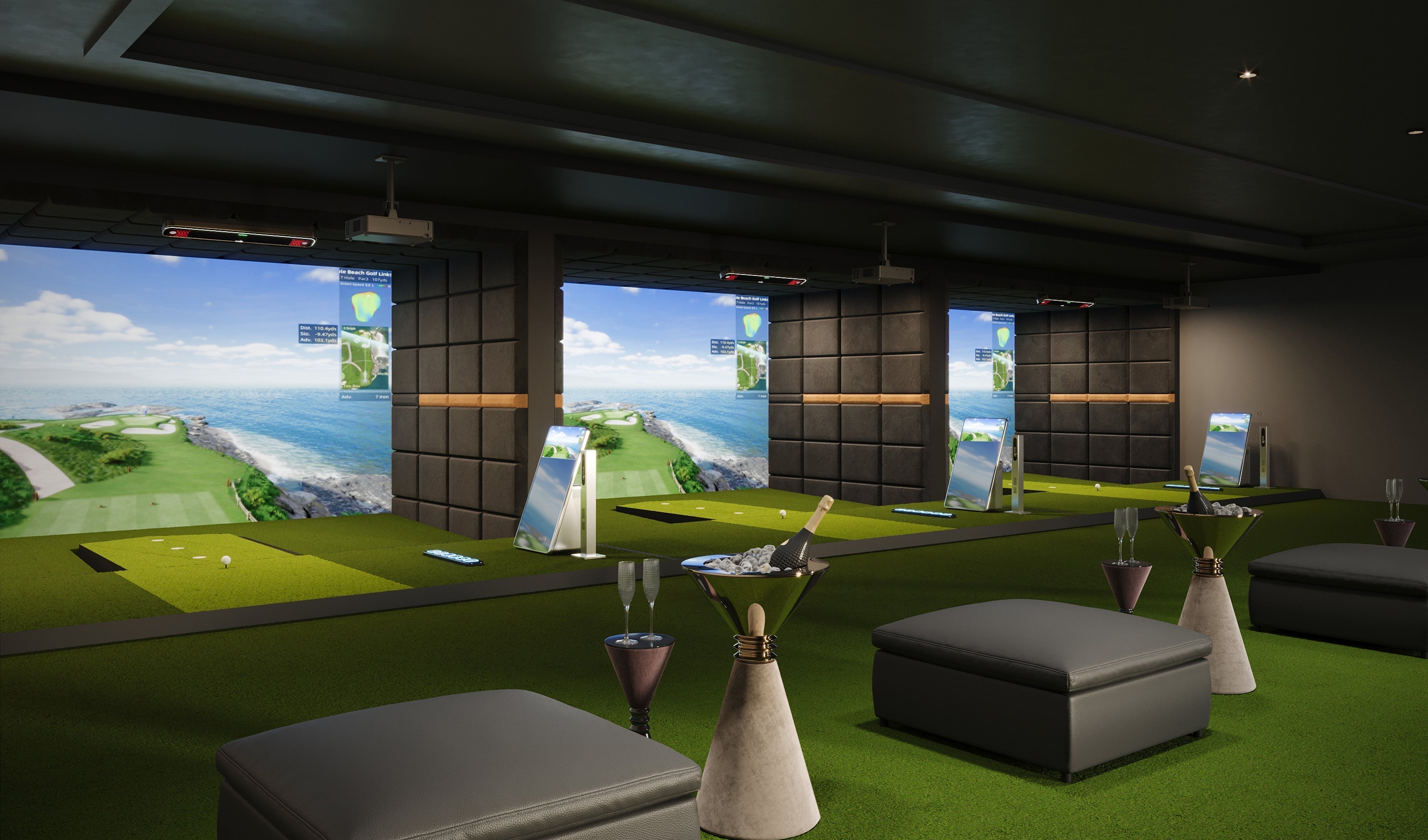
A complete simulator setup typically brings together several components:
- Launch monitor — captures the shot
- Golf simulator software — processes data and creates the virtual golf experience
- PC or compatible device — runs the software
- Hitting mat — provides the hitting surface
- Impact screen or net — safely receives the golf ball
- Projector or display — shows the software and virtual course
Not every setup needs every component in the same form. A compact practice setup may use a launch monitor with a tablet or display, while a dedicated simulator room may combine an impact screen, projector, gaming PC, and permanent tracking system.
If you are planning a complete setup, our indoor golf simulator guide covers equipment, space, software, installation, and choosing the right system in more detail.
What Happens After You Hit the Ball?
Put everything together, and the process looks like this:
You hit the ball → the launch monitor captures impact → ball and club data are measured → simulator software processes the data → virtual ball flight is modeled → the shot appears on screen.
All of this happens fast enough that the virtual shot feels like a natural continuation of the real swing.
FAQs About How Indoor Golf Simulators Work
How do indoor golf simulators work?
Indoor golf simulators use a launch monitor to capture what happens when you hit the ball. The system measures key ball and, depending on the device, club data. Simulator software then processes those measurements, models the ball flight, and displays the shot on a virtual range or golf course.
Does a golf simulator actually track the golf ball?
Yes, but the tracking method depends on the system. Camera-based launch monitors capture the ball around impact and initial launch, while radar-based systems can observe movement over a longer distance. The software uses the captured launch conditions to model the rest of the shot.
Do you need a projector for a golf simulator?
No. A projector is mainly used to create an immersive full-screen simulator experience. Some practice setups can display software and shot data on a monitor, TV, tablet, or compatible mobile device instead.
What is the most important part of a golf simulator?
The launch monitor is responsible for capturing the shot data that drives the simulation, making it one of the most important components. However, software, proper installation, hitting space, and the display setup all contribute to the overall simulator experience.
Can you use real golf balls in an indoor golf simulator?
Yes. Most indoor golf simulator setups are designed to be used with real golf balls. Ball requirements can vary by tracking system, so check whether the launch monitor requires specific markings or ball types for certain measurements.
Final Thoughts
An indoor golf simulator may look simple from the player's side: place a ball, swing, and watch the shot appear on screen. Behind that experience, however, the launch monitor, tracking technology, software, and display system are working together in real time.
Understanding that process makes it easier to compare simulator systems. Instead of judging a setup only by graphics or the number of listed metrics, you can look at how the shot is captured, which data is measured, how the software uses that information, and whether the complete system fits the way you want to practice or play.
Explore GOLFJOY launch monitors and simulator solutions to find a setup for home practice, training, or commercial golf environments.

Leave a comment
All comments are moderated before being published.
This site is protected by hCaptcha and the hCaptcha Privacy Policy and Terms of Service apply.