







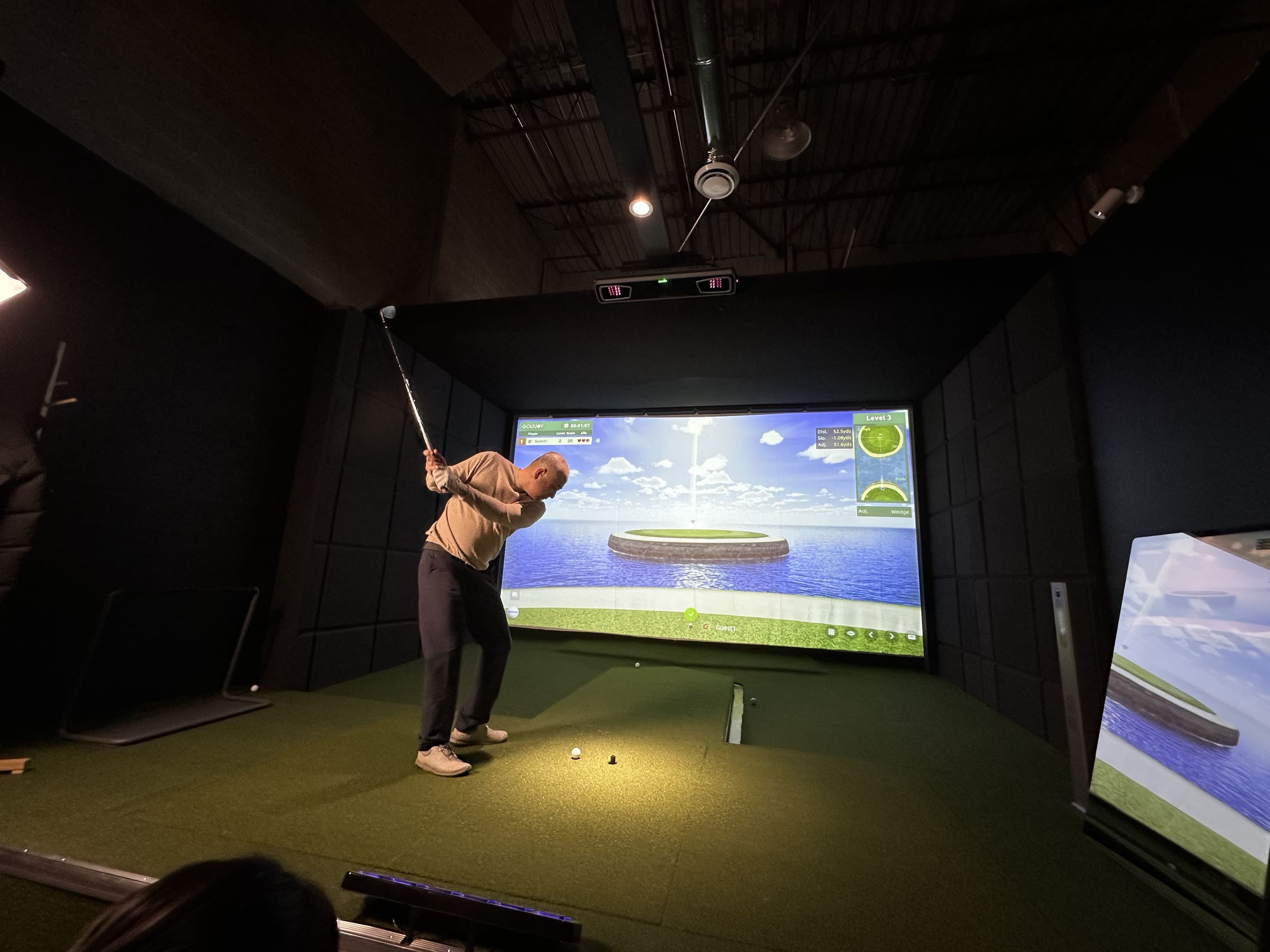

Golf technology has changed the way players practice, train, and understand their performance. One of the most useful tools in modern golf training is a golf launch monitor, which helps turn every shot into measurable data.
The GOLFJOY Spica 3 launch monitor is designed to help golfers better understand ball flight, club delivery, distance control, and shot consistency through real-time performance metrics.
In this guide, we’ll explain the key metrics measured by GOLFJOY’s golf launch monitor and how each data point can help golfers practice with more purpose.
Why Golf Launch Monitor Data Matters
Simply collecting numbers is not enough. The real value of a golf launch monitor comes from understanding what each metric means and how those data points work together.
For example, a golfer may increase club speed but lose distance if launch angle and spin rate are not optimized.
Likewise, improving face angle without understanding club path may not fully explain why the ball is curving.
Launch monitor data helps golfers move beyond guesswork by connecting swing mechanics with actual ball flight results.
Measured by the GOLFJOY Spica 3 Launch Monitor
The GOLFJOY Spica 3 uses a triple high-speed camera system to capture ball and club data for indoor and outdoor practice.
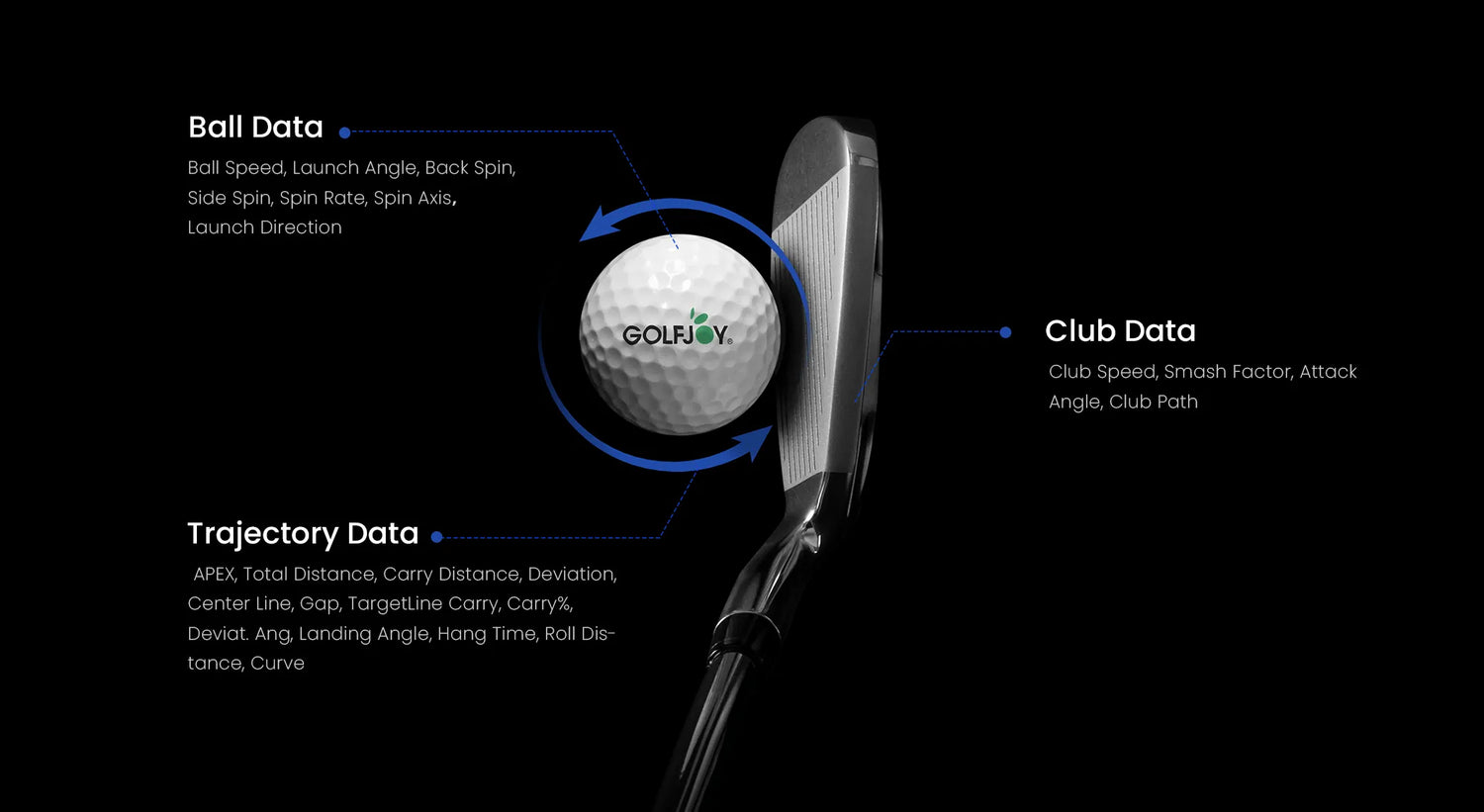
It provides golfers with 27 professional golf metrics, covering ball data, club data, and shot trajectory.
These metrics help golfers identify swing tendencies, evaluate shot patterns, and make better practice decisions over time.
Learn more about the GOLFJOY Spica 3 Launch Monitor.
Common Golf Launch Monitor Metrics by Category
| Category | Example Metrics | Why It Matters |
|---|---|---|
| Ball Data | Ball Speed, Launch Angle, Spin Rate, Launch Direction | Helps golfers understand distance, trajectory, and shot shape. |
| Club Data | Club Speed, Attack Angle, Club Path, Smash Factor | Helps explain swing delivery and energy transfer. |
| Trajectory Data | APEX, Carry Distance, Total Distance, Hang Time | Shows how the ball travels through the air and lands. |
| Accuracy Data | Deviation, Side Carry, Curve, Target Line Carry | Helps golfers evaluate shot direction and consistency. |
Key Metrics Measured by GOLFJOY’s Golf Launch Monitor
1. Club Speed
Club speed measures how fast the clubhead is moving at impact. It is an important factor for golfers who want to improve distance and swing efficiency.
2. Ball Speed
Ball speed shows how fast the ball travels after impact. It helps golfers understand strike quality and distance potential.
3. APEX
APEX refers to the highest point of the ball’s flight. Understanding apex height helps golfers evaluate trajectory and landing control.
4. Landing Angle
Landing angle shows the angle at which the ball descends. A steeper landing angle can help the ball stop more quickly on the green.
5. Smash Factor
Smash factor compares ball speed to club speed. It helps measure how efficiently energy is transferred from the club to the ball.
6. Launch Angle
Launch angle shows the initial angle at which the ball leaves the clubface. It plays a major role in distance, trajectory, and shot control.
7. Total Distance
Total distance combines carry distance and roll distance. It helps golfers understand the full result of each shot.
8. Hang Time
Hang time measures how long the ball stays in the air. This can help golfers understand flight characteristics and landing behavior.
9. Attack Angle
Attack angle measures how the clubhead approaches the ball at impact. It can influence launch conditions, spin, and distance.
10. Back Spin
Back spin affects ball flight, stopping power, and control. It is especially important for wedge play and approach shots.
11. Deviation
Deviation shows how far the ball finishes from the intended target line. It helps golfers evaluate accuracy and dispersion.
12. Roll Distance
Roll distance measures how far the ball rolls after landing. It helps explain the difference between carry distance and total distance.
13. Club Path
Club path shows the direction the clubhead is moving through impact. It is useful for understanding shot shape and swing direction.
14. Side Spin
Side spin affects how the ball curves in flight. It helps golfers analyze fades, draws, slices, and hooks.
15. Center Line
Center line helps assess the ball’s trajectory relative to the target line.
16. Curve
Curve measures how much the ball moves from its starting line due to spin and launch conditions.
17. Face Angle
Face angle shows the orientation of the clubface at impact. It strongly influences the starting direction of the golf ball.
18. Spin Rate
Spin rate measures how quickly the ball is spinning. It affects distance, flight stability, and stopping power.
19. Gap
Gap helps golfers understand distance spacing between clubs or shots, which is useful for building better distance control.
20. Side Carry
Side carry shows how far the ball travels laterally during flight. It helps evaluate shot accuracy and dispersion.
21. Face to Path
Face to path helps explain the relationship between clubface direction and swing path. It is useful for understanding shot curvature.
22. Spin Axis
Spin axis measures the tilt of the ball’s spin. It affects flight stability and curve direction.
23. Target Line Carry
Target line carry shows how far the ball travels along the intended target line.
24. Curve Carry
Curve carry measures distance while the ball is moving along a curved flight path.
25. Launch Direction
Launch direction shows the initial direction of the ball after impact. It helps golfers understand shot start line and alignment.
26. Carry % and Roll %
Carry percentage and roll percentage help golfers understand how total distance is divided between air distance and ground roll.
27. Carry Distance
Carry distance measures how far the ball travels before touching the ground. It is one of the most important metrics for club selection and distance control.
How GOLFJOY Spica 3 Helps Turn Data Into Better Practice
Understanding golf metrics is only useful when the data is easy to access and apply.
The GOLFJOY Spica 3 launch monitor helps golfers collect ball and club data during indoor or outdoor practice sessions, making it easier to evaluate shot patterns and track improvement over time.
Combined with GOLFJOY Software, golfers can use data feedback to build more structured practice routines and better understand how swing changes affect ball flight.
Explore the GOLFJOY Spica 3 Launch Monitor to see how launch monitor data can support your training.
Conclusion
The GOLFJOY golf launch monitor provides golfers with useful performance data for understanding and improving their game.
Metrics such as club speed, ball speed, launch angle, spin rate, attack angle, and carry distance help players make more informed practice decisions.
Whether you are a beginner, experienced player, coach, or home simulator user, launch monitor data can make every practice session more purposeful.
Compare GOLFJOY Launch Monitors to find the right solution for your practice goals.
Frequently Asked Questions
What is the most important golf launch monitor metric?
There is no single most important metric for every golfer. Ball speed, launch angle, spin rate, and carry distance are often key starting points for evaluating shot performance.
How many metrics does GOLFJOY Spica 3 measure?
GOLFJOY Spica 3 measures 27 professional golf metrics, including ball data, club data, and trajectory data.
Can launch monitor data improve my golf game?
Yes. Launch monitor data helps golfers understand the relationship between swing mechanics and ball flight, allowing for more informed practice and equipment decisions.
Which metrics affect carry distance the most?
Carry distance is influenced by several factors, including ball speed, launch angle, spin rate, attack angle, and strike quality.
Do I need to understand all 27 metrics?
Not necessarily. Beginners may focus on ball speed, carry distance, and launch angle, while advanced golfers and coaches may use club path, spin axis, face angle, and attack angle for deeper swing analysis.
```




Leave a comment
All comments are moderated before being published.
This site is protected by hCaptcha and the hCaptcha Privacy Policy and Terms of Service apply.